

CrowdStrike Falcon Update နှင့်ပတ်သက်သည့် သတိပေးကြေညာချက်

Latest News

The Supreme Court of the Union / Posted on May 22, 2026
The Fourth Coordination Meeting of the two committees — “the Implementation Committee of Artificial Intelligence (AI) Technology and e-Government Processes” and “the Implementation Committee of Case Management System” under the Supreme Court of the Union — was held this afternoon at the Meeting Hall of the Supreme Court of the Union.

Office of the Auditor General of the Union / Posted on May 22, 2026

Ministry of Transport and Communications / Posted on March 08, 2021
Newspaper
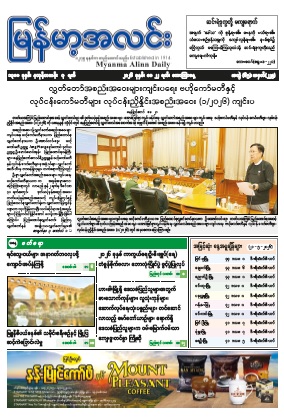
၁၃၈၈ ခုနှစ်၊ နယုန်လဆန်း ၇ ရက် ၊ မေ ၂၂ ရက်၊ သောကြာနေ့။
Publisher: မြန်မာ့အလင်း/ May 22, 2026
Publication Date: 2026
Page: 32 Pages
Language: မြန်မာ
Download
၁၃၈၈ ခုနှစ်၊ နယုန်လဆန်း ၆ ရက် ၊ မေ ၂၁ ရက်၊ ကြာသပတေးနေ့။
Publisher: မြန်မာ့အလင်း/ May 21, 2026
Publication Date: 2026
Page: 32 Pages
Language: မြန်မာ
Download
၁၃၈၈ ခုနှစ်၊ နယုန်လဆန်း ၅ ရက် ၊ မေ ၂၀ ရက်၊ ဗုဒ္ဓဟူးနေ့။
Publisher: မြန်မာ့အလင်း/ May 20, 2026
Publication Date: 2026
Page: 32 Pages
Language: မြန်မာ
DownloadCrowdStrike Falcon Update နှင့်ပတ်သက်သည့် သတိပေးကြေညာချက်
Ministry of Transport and Communications/ Naypyitaw / July 19, 2024
၁။ မကြာသေးခင်က ထွက်ရှိခဲ့သော CrowdStrike Falcon Sensor ၏ Update ကြောင့် နိုင်ငံတကာရှိ ထောင်နှင့်ချီသော Windows စနစ်သုံးကွန်ပျူတာများသည် စက်ဖွင့်ချိန်တွင် Blue Screen of Death (BSOD) Error ဖြစ်ပွားလျက်ရှိပြီး နိုင်ငံတကာရှိ CrowdStrike Falcon ဆော့ဖ်ဝဲလ် အသုံးပြုသော ဘဏ်များ၊ လေကြောင်းလိုင်းများ၊ ရုပ်သံထုတ်လွှင့်ရေးနှင့် အရေးပေါ်ဝန်ဆောင်မှုအချို့တွင် လုပ်ငန်းဆောင်တာ ရပ်ဆိုင်းမှုများ ဖြစ်ပေါ်လျက်ရှိပါသည်။
၂။ CrowdStrike အနေဖြင့် အဆိုပါပြဿနာအား ဖြေရှင်းနိုင်ရန် Patch ဖိုင်ကို ထုတ်ပေးပြီး ဖြစ်သော်လည်း Windows ကို ပုံမှန်အတိုင်း ဝင်ရောက်နိုင်ခြင်း မရှိသေးသောကြောင့် IT Administrator များအနေဖြင့် BSOD Error အား ဖြေရှင်းနိုင်ရန်အတွက် အောက်ပါအတိုင်း ဆောင်ရွက်ရန် အကြံပြုအပ်ပါသည်-
(က) Windows အား Safe Mode သို့မဟုတ် Windows Recovery Environment အနေအထားဖြင့် Boot ပြုလုပ်ရမည်။ (Hirens Boot CD ဖြင့်လည်း Boot ပြုလုပ်နိုင်ပါသည်။)
(ခ) Windows တက်လာသော် C:\Windows\System32\drivers\CrowdStrike Folder ရှိရာသို့ သွားပါ။
(ဂ) ထို့နောက် CrowdStrike Folder အောက်တွင် C-00000291*.sys ဟု ရှာပြီး ကိုက်ညီသော ဖိုင်များအားလုံးကို ဖျက်ပစ်ပါ။
(ဃ) ဖိုင်များအား ဖျက်ပြီးသောအခါ Windows အား ပုံမှန်အတိုင်း Reboot ပြုလုပ်ပါ။
၃။ အထက်ပါအကြံပြုချက်များသည် ဗိုင်းရပ်စ်နှိမ်နှင်းရေးပရိုဂရမ်ဖြစ်သည့် CrowdStrike Falcon ကို သုံးစွဲသူများအတွက်သာဖြစ်ပြီး အခြားသော ဗိုင်းရပ်စ်နှိမ်နှင်ရေးပရိုဂရမ် သုံးစွဲသူများအနေဖြင့် အကြံပြုချက်များအား လုပ်ဆောင်ရန် မလိုအပ်ပါကြောင်း သတိပေးကြေညာအပ်ပါသည်။
သတင်းအချက်အလက်နည်းပညာနှင့်ဆိုက်ဘာလုံခြုံရေးဦးစီးဌာန